
Directional Orientation
Compass cues and map references under a running clock — hold your bearings while everything else competes for attention.
- Format
- Map + compass cues
- Part of
- PBM battery
- Counts toward
- Not part of the OAR
How the ASTB-E PBM Directional Orientation module works
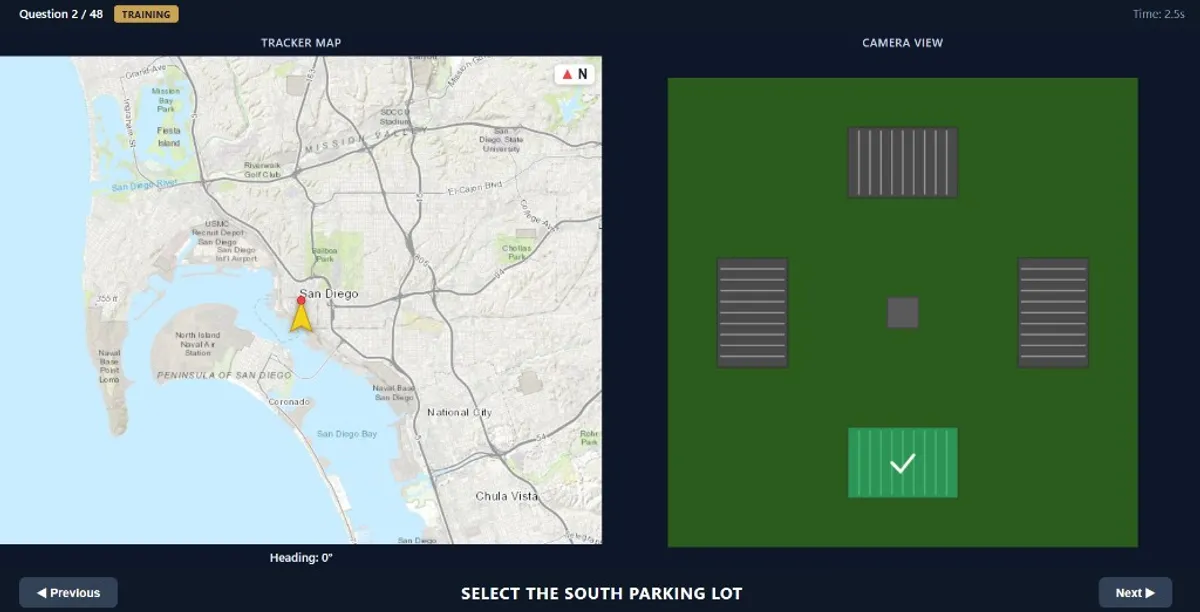
The screen is split into two parts. On the left, you see a map with a UAV indicator (yellow arrow + red point) showing the aircraft heading. On the right, you see a camera view with four possible parking-lot targets arranged either in a cross layout (cardinal) or a diamond layout (45-degree orientation).
Each question asks you to select one cardinal direction target: North, East, South, or West. You must answer from pilot perspective (the UAV nose is your forward direction), not from the static map perspective.
Time is critical. This PBM module is not only about getting answers right. You must also answer quickly and consistently under pressure. Slow but correct responses reduce your effective performance; fast and correct responses maximize your result.
In ASTB-E PBM Directional Orientation, speed can be as important as accuracy. The faster you identify the correct target, the stronger your overall performance tends to be. In practical terms, this means you should train to become both reliable and quick, because correct but delayed answers generally have less impact than correct answers made with confident timing.
The 3 core tasks you perform on every question
Decode heading fast
Read the UAV heading immediately. Determine if the view is cardinal-facing (cross target geometry) or 45-degree-facing (diamond target geometry).
Mentally rotate perspective
Switch to pilot viewpoint. Ask: "From where I’m facing now, where is North/East/South/West relative to me?"
Select and commit
Click the matching parking lot quickly. Overthinking costs time and reduces score potential, even with correct answers.
Example questions
Use these examples to understand how heading and target direction combine. Navigate with previous/next buttons.
Example 1 - Cardinal Heading (0°)
When heading is cardinal (0, 90, 180, 270), targets are in cross layout. Here, selecting South means choosing the bottom lot from pilot perspective.
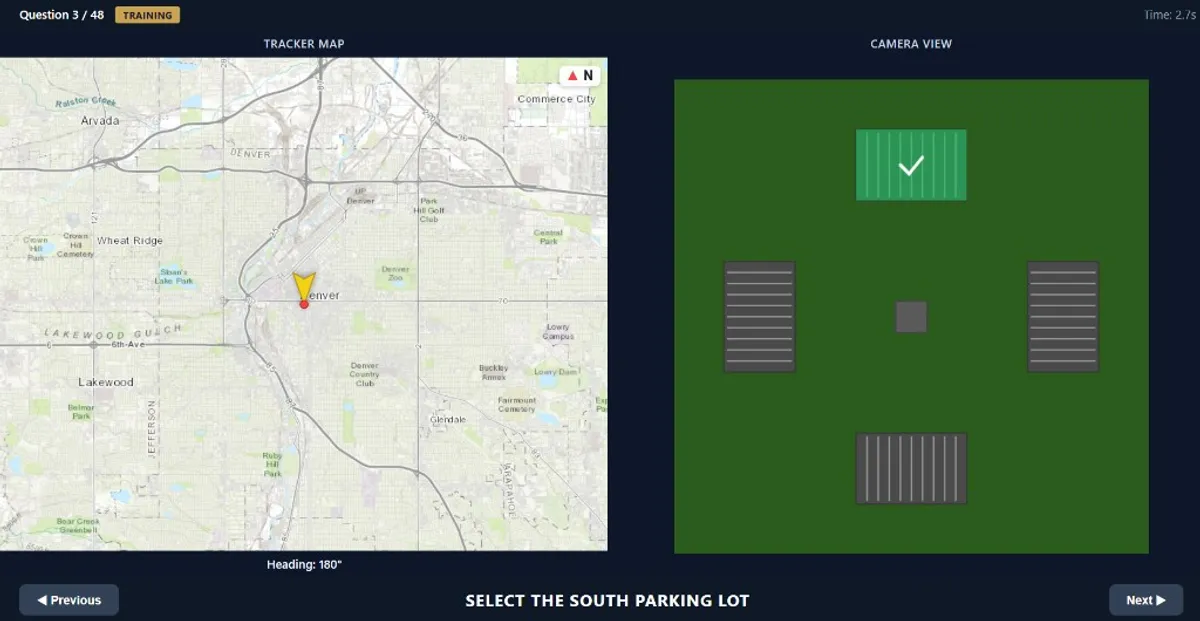
Example 2 - Cardinal Heading (180°)
With heading 180, your forward points South. Asking for South means selecting the top lot from pilot perspective.
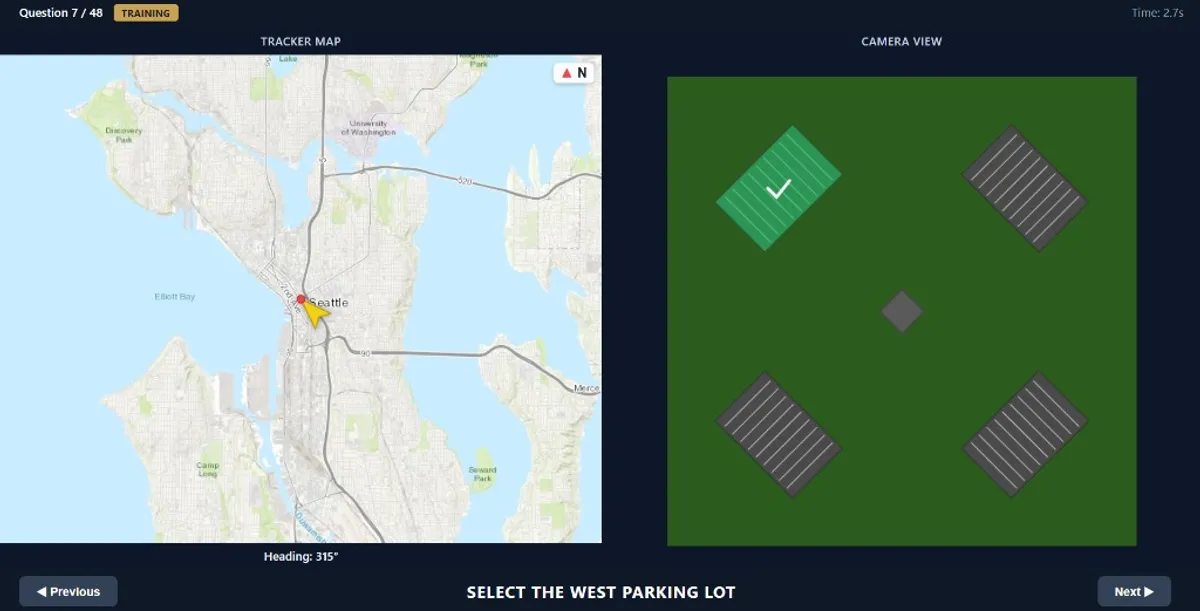
Example 3 - Diagonal Heading (315°)
When heading is diagonal (45, 135, 225, 315), targets are in diamond layout. Here, West aligns with the top-left lot.
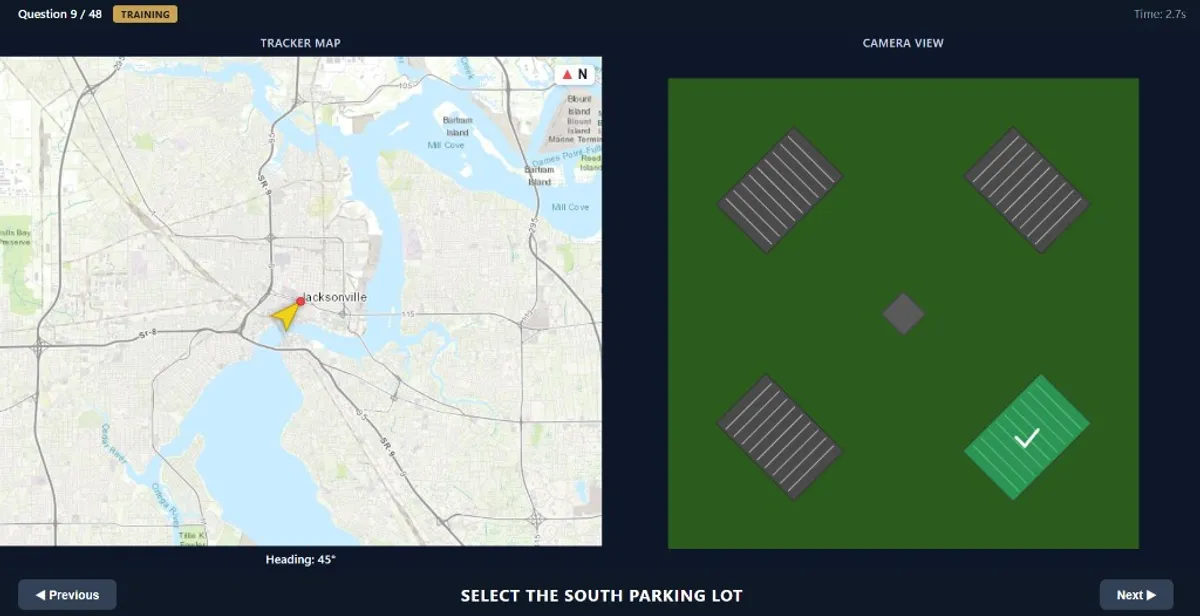
Example 4 - Diagonal Heading (45°)
At 45, South maps to the bottom-right lot in the diamond arrangement.
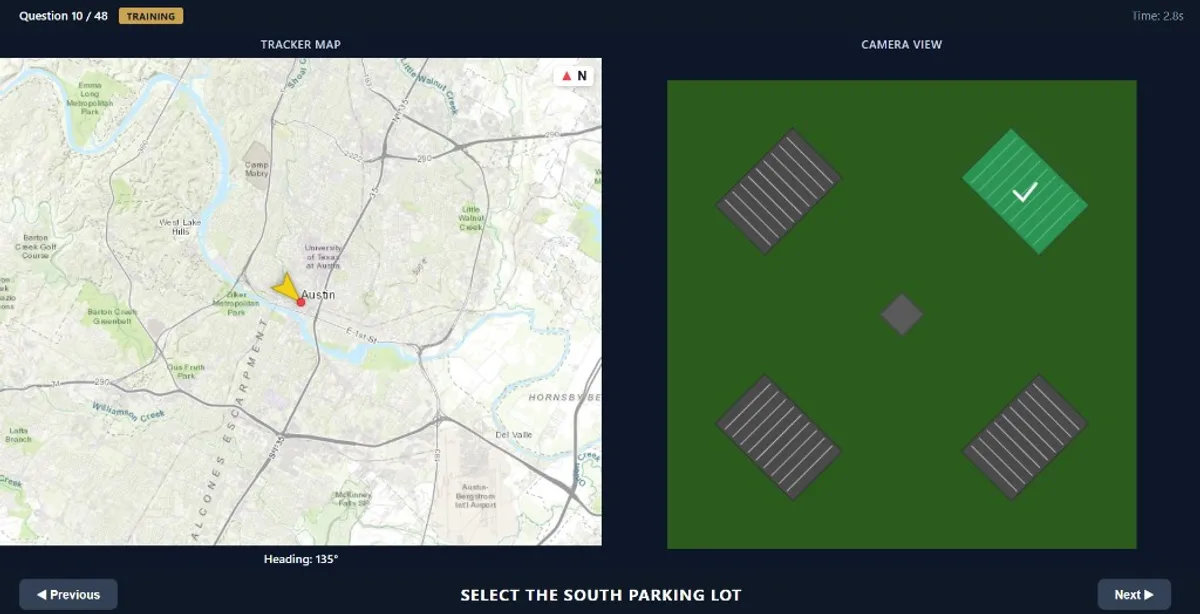
Example 5 - Diagonal Heading (135°)
At 135, South maps to the top-right lot. Fast mental rotation is the key skill here.
High-value tips to maximize your score
Cardinal heading (0/90/180/270) = cross layout. Diagonal heading (45/135/225/315) = diamond layout. This one rule removes hesitation instantly.
Always set forward from UAV heading first. Then map requested direction relative to forward. This prevents left-right inversion mistakes.
Because this PBM module is time-weighted, a slower correct answer can be worth significantly less than a fast correct answer. Practice with strict response-time targets.
Repeat the same internal loop every question: Heading → Layout → Requested direction → Click. Fixed routines reduce cognitive load.
One wrong answer should not slow the next three. Reset immediately. ASTB-E PBM rewards consistency under pressure more than perfection on isolated items.
Related PBM modules
Directional Orientation, quick answers
What does ASTB-E PBM Directional Orientation really measure?
It measures spatial orientation under time pressure: reading heading, rotating perspective mentally, and selecting the correct relative target quickly.
Why does response time matter so much?
In operational naval aviation, delayed decisions can be as dangerous as wrong decisions. This PBM module reflects that reality by rewarding fast, correct processing.
What is the most common candidate mistake?
Mixing map orientation with pilot orientation. Always answer from the UAV/pilot viewpoint, not from static north-up map intuition.
How should I practice this module?
Use repeated short sessions with a speed goal. Track both correctness and response time. Build automatic recognition of heading-to-layout mapping.
Build your test-day method
- Exam-aligned drills under deliberate time pressure
- Instant explanations after every item
- Your score estimate, tracked drill after drill