Terrain Identification
A cockpit view, a map, seconds to match them. Which terrain are you flying over — and which way are you pointed?
- Format
- Cockpit view → map match
- Part of
- PBM battery
- Counts toward
- Not part of the OAR
How the Terrain Identification test works
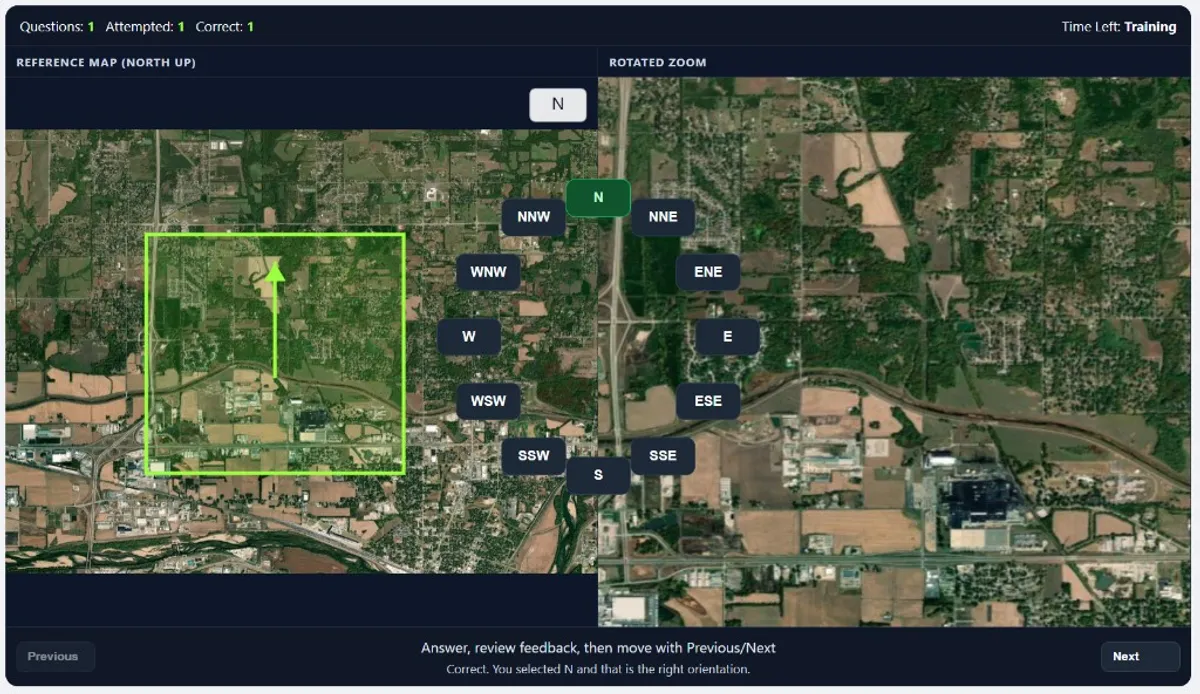
General task flow. In this ASTB-E PBM module, you compare two visual panels showing the same terrain from map data. The left panel is your reference map with north fixed at the top. The right panel is a zoomed extract of that terrain, but rotated.
Your job is to identify the orientation of the right image as fast as possible. The answer choices are 12 compass positions: N, NNE, ENE, E, ESE, SSE, S, SSW, WSW, W, WNW, NNW.
High scores come from combining fast landmark recognition with reliable orientation matching. The test rewards both speed and consistency under pressure.
Anchor on one distinct feature
Start with a clear landmark: a curved road junction, shoreline bend, river fork, or unusual urban block shape.
Confirm with a second feature
Use a second reference to avoid guessing. Two-feature confirmation sharply reduces direction mixups.
Commit to the orientation
Match the rotation quickly, choose one of the 12 compass options, and move on without over-checking.
Detailed breakdown: left screen (reference map)
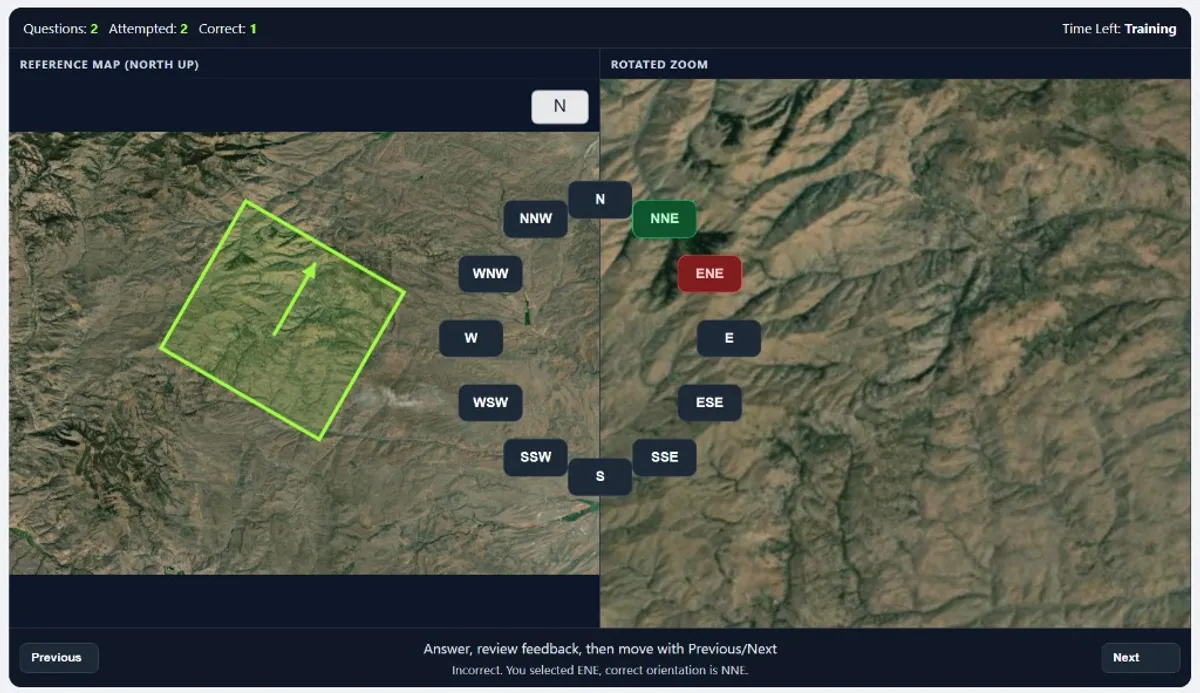
The left screen is your stable reference. North is always up, so this panel gives you the fixed directional baseline. Treat it like your orientation anchor: every decision should be relative to this map, not relative to your intuition from the rotated panel.
Best practice: scan for high-contrast geometry first (intersections, coastline edges, terrain contours) before looking at small details. Big shape patterns are faster and more robust under timed conditions.
Detailed breakdown: right screen and orientation selection
The right screen shows a rotated zoom of terrain taken from the same map family. Your task is to determine which compass orientation matches that rotation. This is where most errors happen: candidates spot the right location but choose a neighboring direction (for example ENE instead of E).
Use a repeatable sequence: identify one landmark in the zoom, place it on the left map, estimate the rotation, then verify with a second landmark before selecting. This method is faster long-term than one-feature guessing.
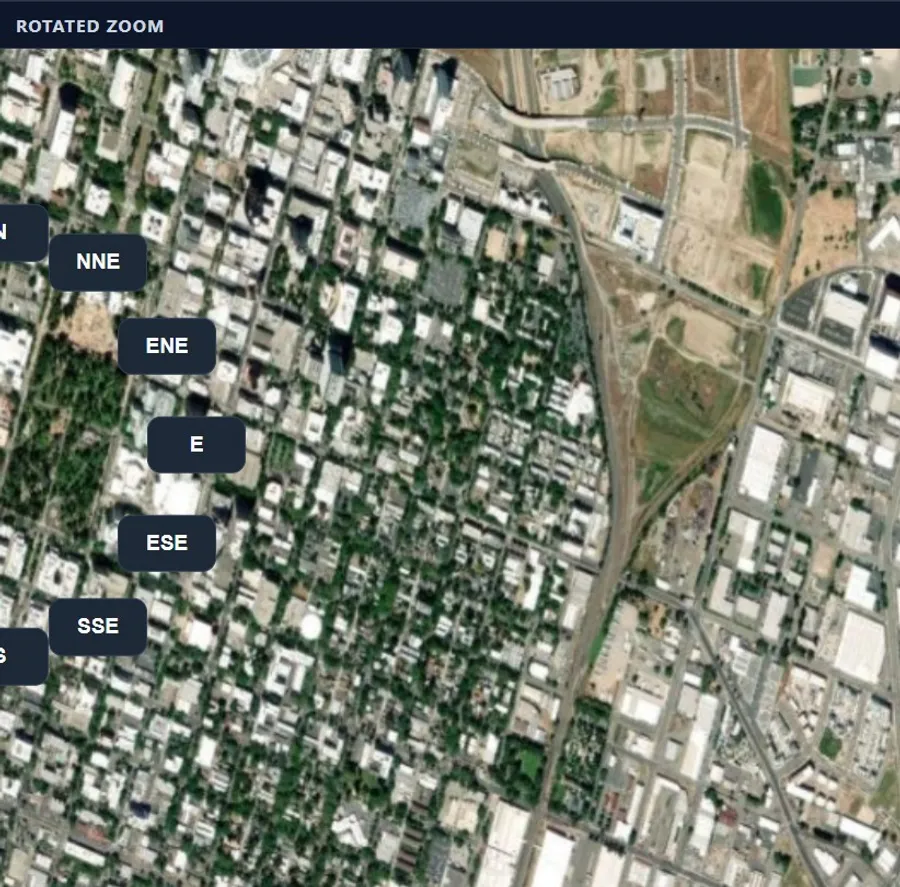
High-value scoring habit: if two options seem close, do not restart from zero. Keep your first landmark anchor and only check one extra feature to break the tie. This preserves speed without sacrificing accuracy.
Example questions
Use these examples to practice the exact solving process.
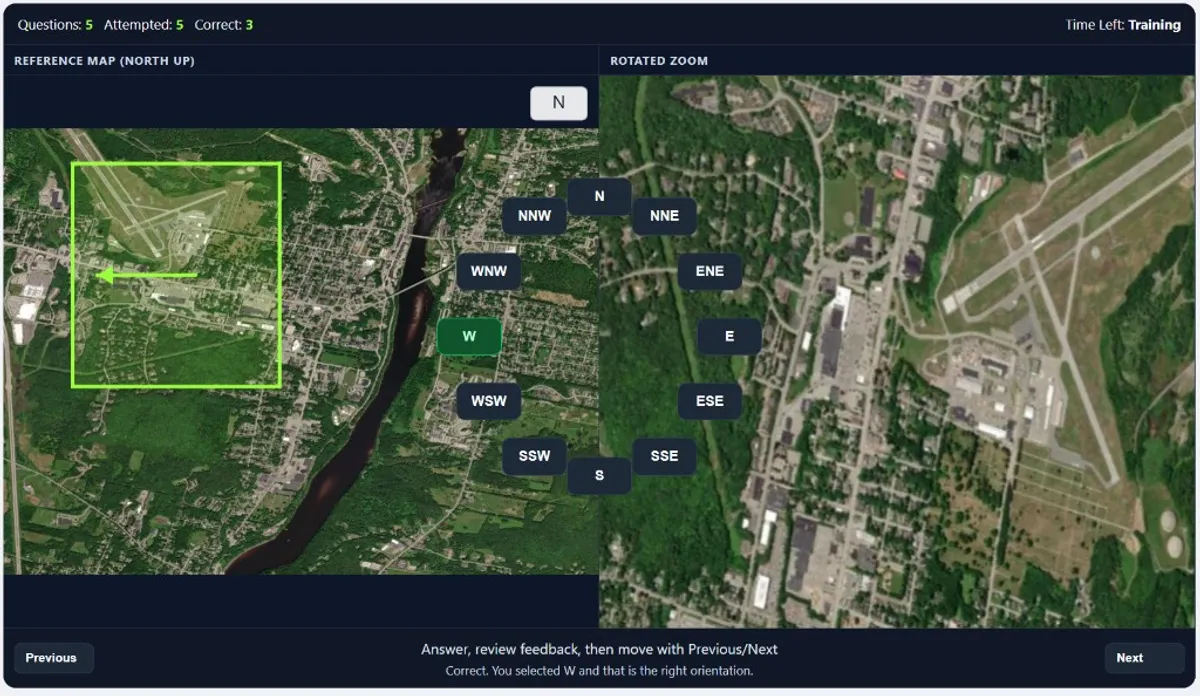
Example 1 - Airport Landmark, Correct Answer: W
Use the runway complex as the primary anchor, then confirm with the nearby river and bridge geometry. The rotated zoom aligns with a west-facing orientation, so W is the correct choice.
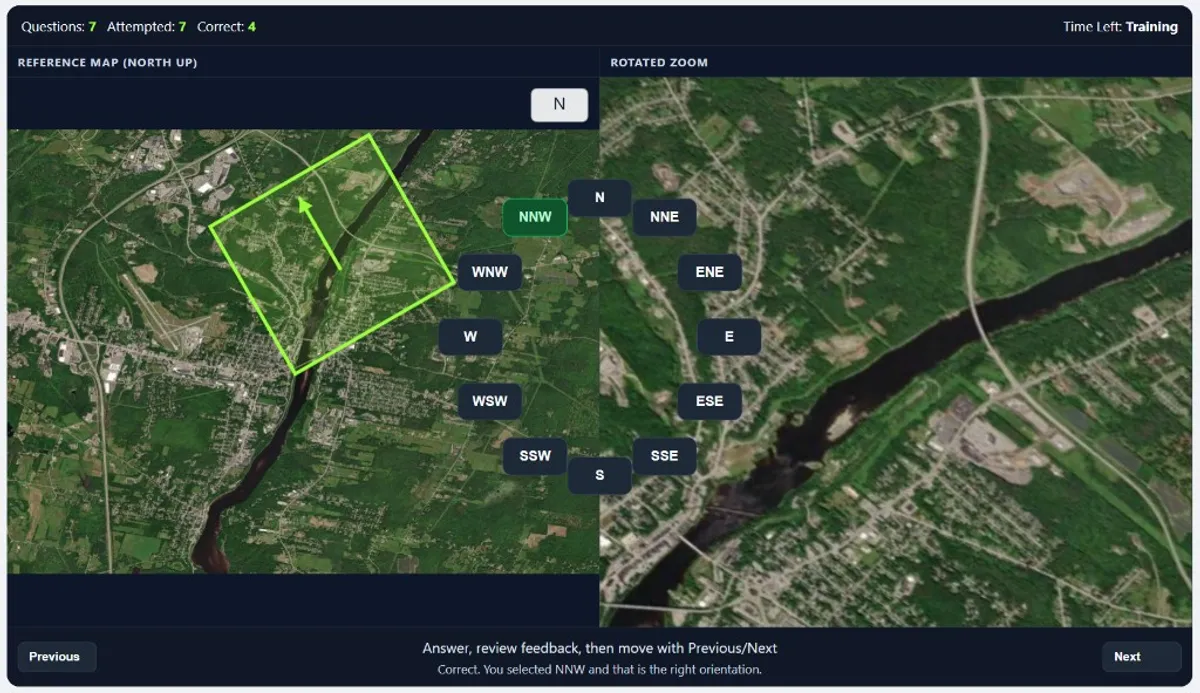
Example 2 - River Corridor, Correct Answer: NNW
Start from the dark river bend and the long diagonal road on the right panel, then match those two structures on the reference map. Their alignment points to NNW as the correct orientation.
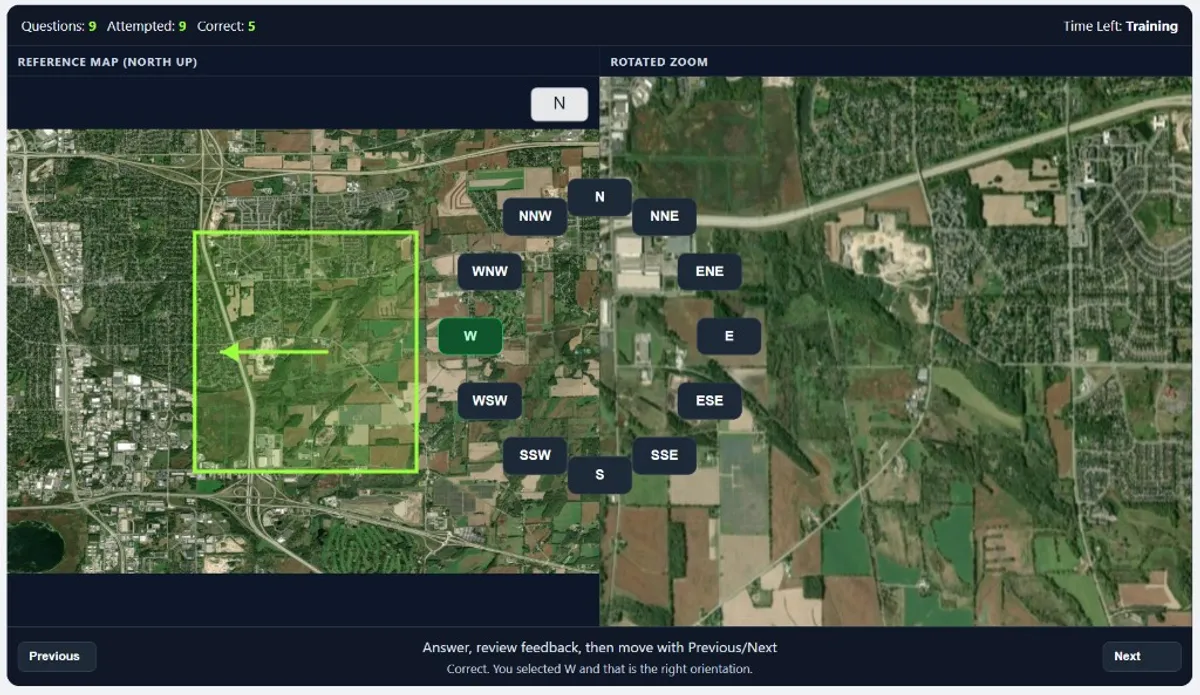
Example 3 - Mixed Urban/Farmland, Correct Answer: W
Lock on the rectangular field blocks plus the main east-west highway near the top. A second check on the neighborhood edge confirms the zoom is rotated toward W.
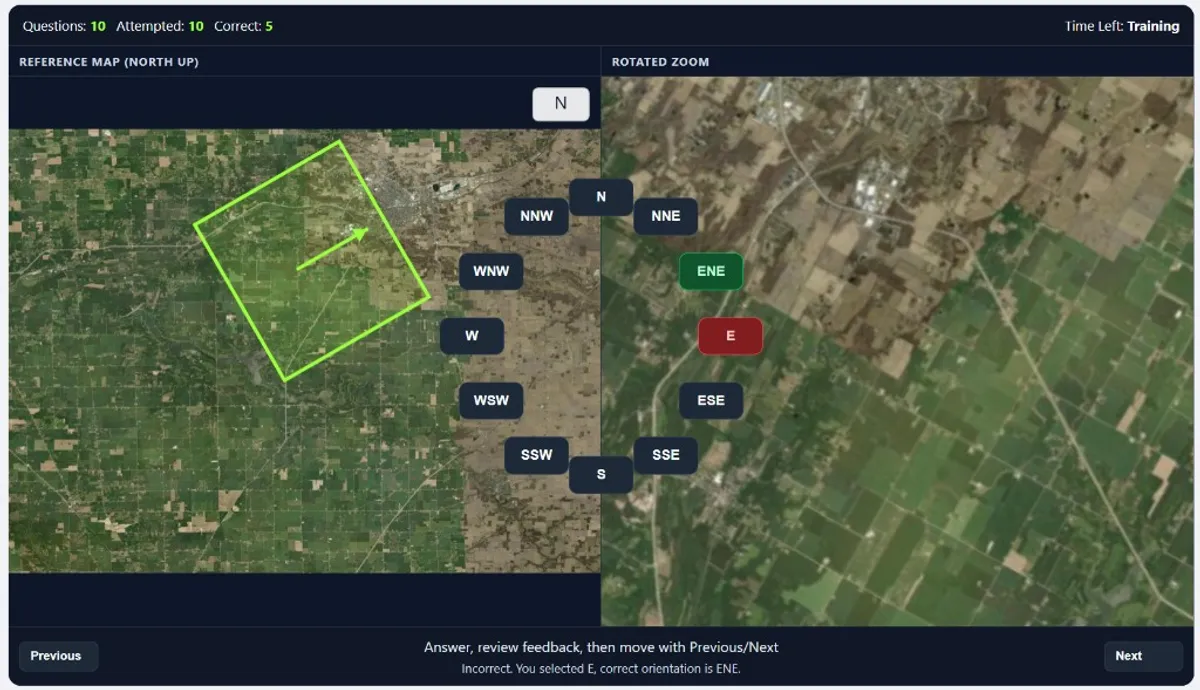
Example 4 - Common Trap, Correct Answer: ENE (Not E)
This is a classic neighbor-angle mistake: E looks plausible, but the road network tilt and field boundaries sit slightly above pure east. That extra offset makes ENE the right answer.
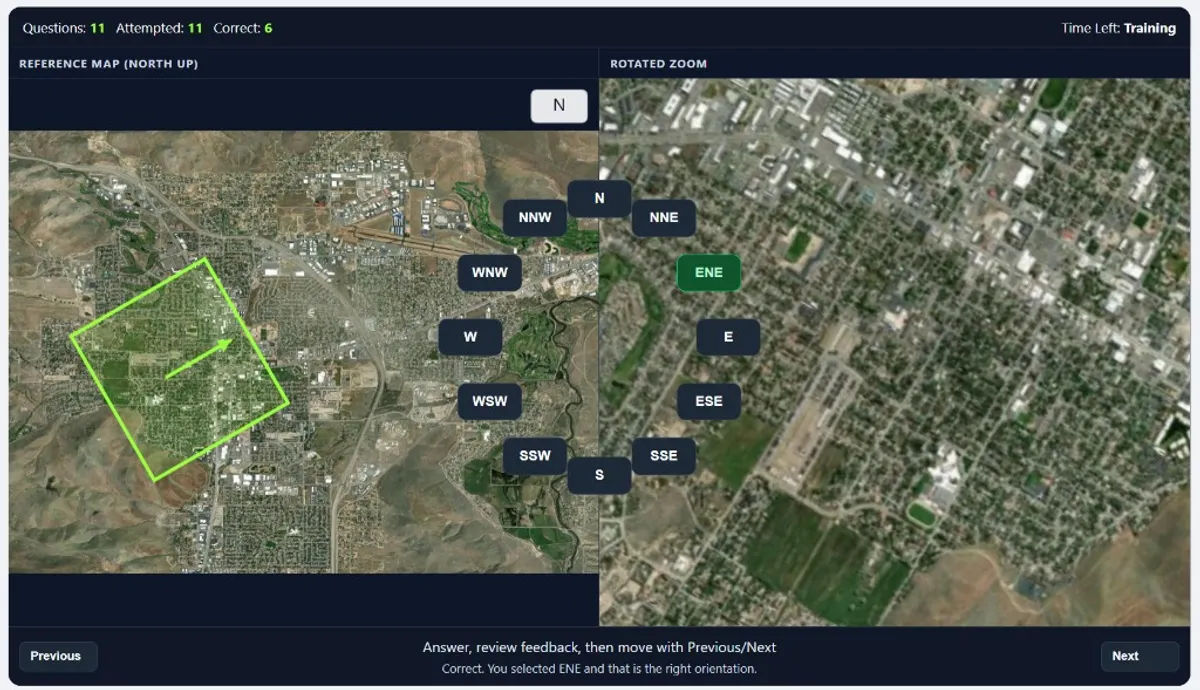
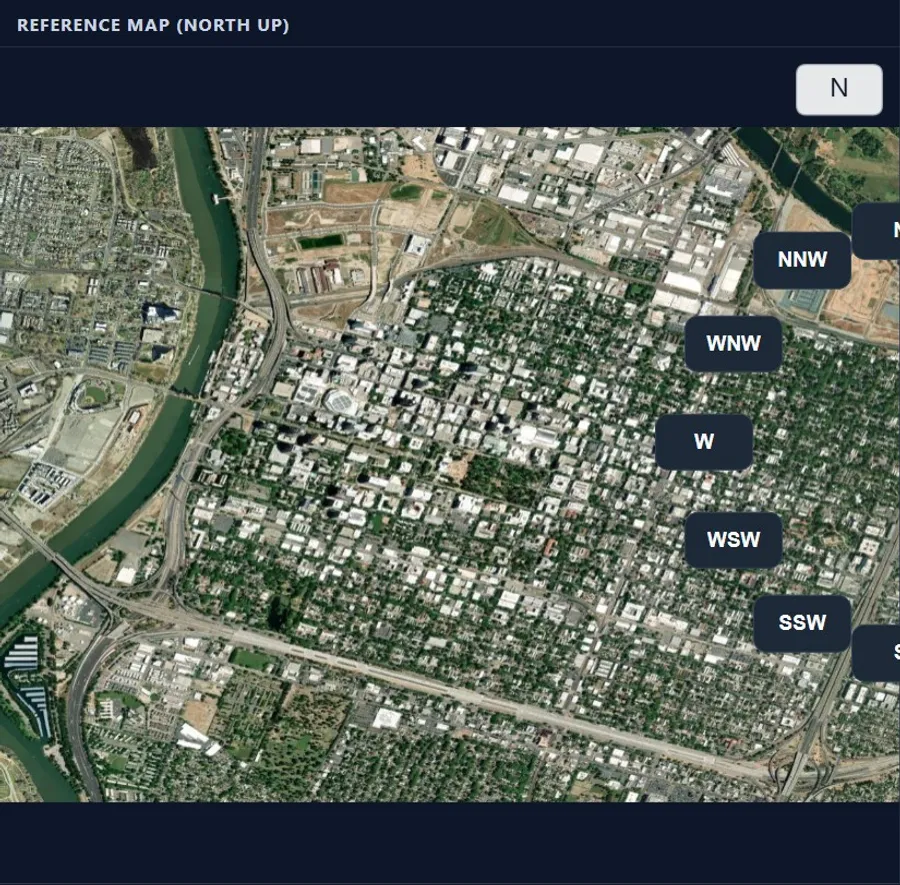
Example 5 - Urban Pattern Match, Correct Answer: ENE
Use the dense city blocks plus the diagonal road/green strip as a two-feature confirmation. The combined pattern matches an ENE rotation, not a pure cardinal direction.
Common mistakes
Single-landmark guessing
Spotting one feature and answering immediately often causes near-direction errors. Always validate with one additional feature.
Micro-detail overload
Over-focusing on tiny map details slows you down. Start with large terrain geometry, then refine only if needed.
Direction drift under time pressure
Candidates sometimes change orientation logic mid-question. Use the same sequence every time to stay consistent.
Not separating close compass options
Angles like E and ENE are common confusion points. Use one tie-break landmark instead of pure visual feel.
Terrain Identification, quick answers
What does ASTB-E PBM Terrain Identification really measure?
It measures how quickly and accurately you can recognize orientation by matching a rotated terrain zoom to a north-up reference map under time pressure.
How is the screen organized during the task?
The left side is a reference map with north fixed at the top. The right side is a zoomed extract of that same terrain, rotated away from the reference orientation.
What is the fastest solving method?
Use a stable loop: identify one unique terrain feature, anchor it on the left map, estimate the right-image rotation, then confirm with a second feature before selecting.
What mistake hurts scores most often?
Answering from visual guess alone without cross-checking two landmarks. This causes avoidable orientation errors, especially between neighboring directions like ENE/E or SSW/S.
Build your test-day method
- Exam-aligned drills under deliberate time pressure
- Instant explanations after every item
- Your score estimate, tracked drill after drill